Android phones and tablets running Android 5.0 or above support multiple excellent IPTV applications. The Google Play Store provides easy access to IPTV Smarters Pro, TiviMate and GSE Smart IPTV — all fully compatible with IPTV Ireland's Xtream Codes credentials.
Recommended IPTV Apps for Android
- IPTV Smarters Pro — Best all-rounder, free, available on Google Play Store
- GSE Smart IPTV — Excellent alternative with multi-format support
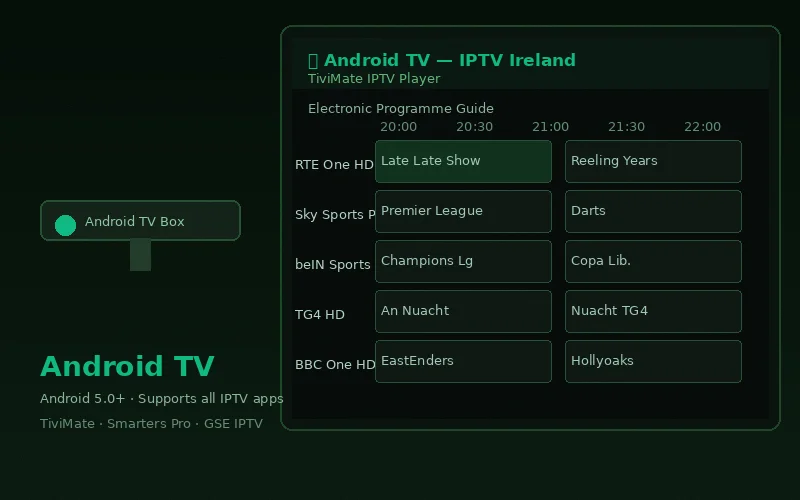
- TiviMate — Best EPG experience (free basic; €3.99/year premium)
Setup with IPTV Smarters Pro (Recommended)
- Open Google Play Store on your Android device
- Search "IPTV Smarters Pro" and install
- Open the app → select Login with Xtream Codes API
- Enter your IPTV Ireland details:
- Any Name: IPTV Ireland
- Username: Your provided username
- Password: Your provided password
- URL: Your server URL with port
- Tap Add User — all 20,000+ channels load immediately
Setup with TiviMate (Best EPG)
- Install TiviMate from Google Play Store
- Open → Add Playlist → Xtream Codes API
- Enter your IPTV Ireland server URL, username and password
- Name the playlist "IPTV Ireland" → Add
- All channels, EPG data and VOD load automatically
TiviMate's 14-day visual EPG grid is the best programme guide available on any IPTV app — particularly useful for planning around sports fixtures across multiple channels simultaneously.
Optimising Android for IPTV
Reduce Background App Activity
Before watching IPTV, close other running apps to free RAM. Android's task manager (tap the square/Overview button) shows all open apps — swipe them away before starting IPTV for smoother playback.
External Player for Better Performance
If your IPTV app's built-in player struggles with certain streams, try MX Player or VLC as an external player: In IPTV Smarters Pro → Settings → Player → External Player → select MX Player.
Picture-in-Picture
Android 8.0+ supports Picture-in-Picture. While watching in IPTV Smarters Pro, press the Home button — the video continues as a floating window while you use other apps. Useful for checking match scores while browsing.
Android Tablet IPTV
Android tablets provide a particularly good IPTV experience due to the larger screen. Samsung Galaxy Tab, Lenovo Tab and Google Pixel Tablet all deliver excellent results with IPTV Smarters Pro. For tablets, the landscape orientation with the EPG displayed as a sidebar provides the best browsing experience.
Mobile Data Usage on Android
IPTV consumes approximately 1.5 GB/hour on HD quality and 3 GB/hour on Full HD. To limit mobile data usage on IPTV Smarters Pro: Settings → Player → Max Quality → HD (720p). This halves data consumption without a noticeable quality difference on a phone screen.
As the leading Premium IPTV Ireland subscription service, our credentials work on all Android devices. Contact us on WhatsApp for setup assistance specific to your Android model.
Frequently Asked Questions
Which Android version do I need for IPTV?
Android 5.0 (Lollipop) or above. All Android devices sold after 2015 meet this requirement. Most current Android devices run Android 12 or higher — fully supported.
Does IPTV Ireland work on Samsung Android phones?
Yes. Samsung Galaxy phones and tablets running Android 5.0+ are fully compatible. Download IPTV Smarters Pro from the Google Play Store and enter your IPTV Ireland credentials.
Can I use IPTV on an Android TV box and phone with the same subscription?
Yes, subject to the simultaneous connection limit on your plan. The 6-month plan (€46) includes 2 connections — one device in the living room and one phone simultaneously. See the pricing page for connection limits per plan.
Conclusion
Setting up IPTV on Android takes under 5 minutes and works on every Android device from the last decade. IPTV Smarters Pro is the most accessible option; TiviMate offers the best EPG for Android users who want a superior TV guide. Use our free 6-hour trial to test on your specific Android device before subscribing. Full Android IPTV guide available on our device pages.