IPTV Ireland Setup Guide — Install and Start Watching in Under 5 Minutes
Follow our step-by-step instructions to start watching in under 5 minutes on any device.
Once you have your IPTV Subscription Ireland credentials, follow these steps to start streaming within minutes.
How to Setup IPTV Ireland on Your Device
Choose your device below for specific instructions
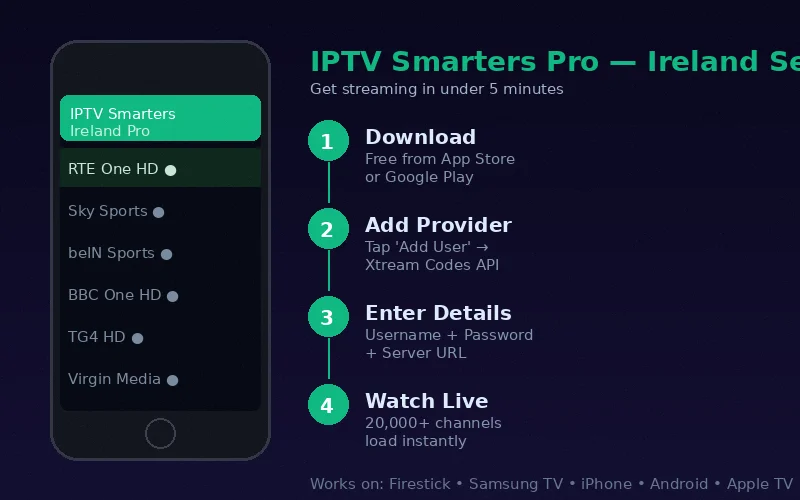
Amazon Firestick Setup
- Enable "Apps from Unknown Sources" in Settings → My Fire TV → Developer Options
- Download the Downloader app from Fire TV App Store
- Open Downloader, go to URL and type: bit.ly/smarters-iptv
- Install IPTV Smarters Pro from the downloaded APK
- Open Smarters, tap "Login with Xtream Codes API"
- Enter credentials we send you via WhatsApp
- Tap "Add User" — all 20,000+ channels load instantly
iPhone & iPad Setup
- Open the App Store on your iPhone or iPad
- Search for "IPTV Smarters Pro" — download the free app
- Open IPTV Smarters Pro
- Tap "Login with Xtream Codes API"
- Enter your username, password and server URL from us
- Tap "Add User" to load your channels
- Browse 20,000+ channels in Full HD immediately
Samsung Smart TV Setup
- Press Home button → Samsung App Store
- Search for "Smart IPTV" or "IPTV Smarters"
- Install the app (free download)
- Note the MAC address shown on screen
- Visit the activation URL provided (siptv.eu) with your MAC
- Enter your M3U playlist URL we provide via WhatsApp
- Restart the app — channels load automatically
Need Help With Setup?
Our Irish support team is available 24/7 to help you get started. We'll guide you through setup via WhatsApp in real time.
📱 Get Setup Help on WhatsAppTips for the Best IPTV Experience in Ireland
Use ethernet over WiFi where possible. For WiFi, use 5GHz. Once you have your IPTV Subscription Ireland credentials, our team is on WhatsApp 24/7 to guide you through setup in real time.
Which App Should I Use?
We recommend IPTV Smarters Pro for most devices. For Firestick and Android TV, TiviMate is excellent. For Samsung Smart TV, use Smart IPTV from the Samsung App Store. See our FAQ for common questions.