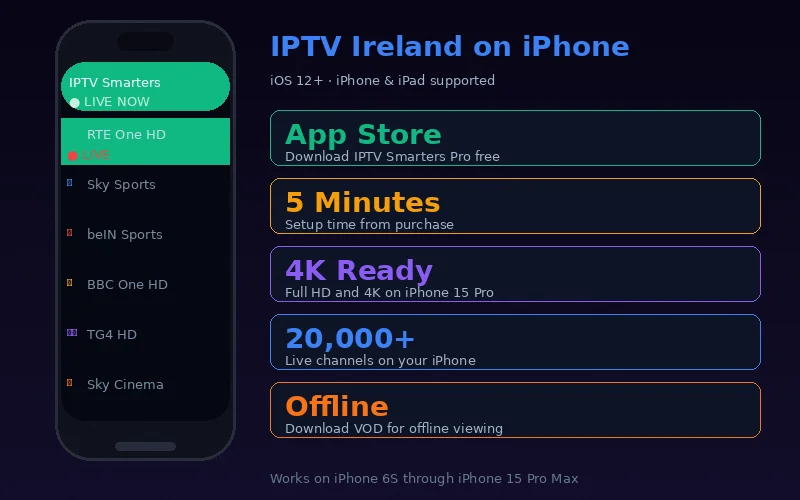
iOS is one of the best platforms for IPTV streaming. Apple's hardware video acceleration, excellent display quality (especially on iPhone 15 Pro and iPad Pro with ProMotion) and iOS features like Picture-in-Picture make it a genuinely premium IPTV viewing platform.
Best IPTV Apps for iPhone and iPad
- IPTV Smarters Pro — Best overall iOS IPTV app, free on App Store, full Xtream Codes support
- GSE Smart IPTV — Good alternative with multi-format support
- Flex IPTV — Clean interface, Apple TV mirroring support
Complete Setup Guide — IPTV Smarters Pro on iPhone/iPad
- Open the App Store on your iPhone or iPad
- Search "IPTV Smarters Pro"
- Tap Get to install (free)
- Open the app
- On the welcome screen, tap Login with Xtream Codes API
- Complete the four fields:
- Any Name: IPTV Ireland
- Username: your IPTV Ireland username
- Password: your IPTV Ireland password
- URL: your IPTV Ireland server URL (with port)
- Tap Add User
- All 20,000+ channels, VOD and EPG load automatically
iOS-Exclusive Features for IPTV
Picture-in-Picture
While watching a live channel in full screen, swipe up from the bottom (or press Home on older iPhones) to go to the home screen. The video continues as a floating mini-player that you can move around the screen while using other apps — excellent for watching sport while checking social media or messaging.
AirPlay to Apple TV or Smart TV
Stream IPTV from your iPhone to your Apple TV 4K or AirPlay 2-compatible Smart TV: tap the AirPlay icon in IPTV Smarters Pro and select your TV. Your iPhone becomes the remote control while the TV displays the full-quality stream.
Siri Shortcuts
Create Siri shortcuts to open IPTV Smarters Pro directly to a specific channel: Settings → Siri & Search → IPTV Smarters Pro → Add Shortcut. Say "Hey Siri, watch RTE One" to jump directly to the channel.
Compatible iPhone Models
| iPhone Model | IPTV Support | 4K | Max Display |
|---|---|---|---|
| iPhone 8 / 8 Plus | ✓ Full | ✓ | 1080p |
| iPhone X / XS / XR | ✓ Full | ✓ | OLED/LCD |
| iPhone 11 Series | ✓ Full | ✓ | Liquid Retina |
| iPhone 12/13/14 Series | ✓ Full | ✓ | Super Retina XDR |
| iPhone 15 Series | ✓ Full + HDR | ✓ 4K HDR | Dynamic Island |
iPad IPTV: The Best Mobile Screen
iPad Pro (M4) with its Liquid Retina XDR display is arguably the best non-television screen for IPTV viewing. The 11-inch and 13-inch displays deliver studio-quality colour with ProMotion 120Hz smoothness. Setup is identical to iPhone — IPTV Smarters Pro from the App Store, same credentials, same quality.
For maximum convenience on iPad, use a stand or smart folio cover to prop the iPad in landscape orientation on a table or kitchen counter — perfect for watching TV while cooking or eating.
Data Saving on iPhone
When using IPTV on mobile data, reduce stream quality in IPTV Smarters Pro: Settings → Player → Stream Quality → HD (720p). This reduces consumption from ~3 GB/hour to ~1.5 GB/hour with minimal visible difference on a phone screen. Also ensure Low Data Mode is off (Settings → WiFi → your network → Low Data Mode = Off).
One IPTV Ireland subscription covers all your devices. See the pricing page for simultaneous connection details. As a IPTV Ireland Provider, we're available on WhatsApp to help with any iPhone or iPad setup questions.
Frequently Asked Questions
Does IPTV Ireland work on older iPhones?
Yes. IPTV Smarters Pro requires iOS 12 or above, which means iPhone 5s and later are compatible. Performance is excellent on iPhone 8 and newer; older models (iPhone 6, 6s) may experience slower channel loading due to hardware limitations.
Can I use IPTV on iPad without WiFi?
Yes, on a cellular iPad (with SIM card slot). WiFi-only iPads require a WiFi connection. For travelling, a mobile hotspot from your iPhone works well — sharing your phone's 4G/5G to your iPad for IPTV.
Does IPTV work in Ireland on a roaming phone?
Yes. IPTV Ireland works anywhere in the world with internet access. Irish visitors abroad, or foreign visitors in Ireland, can access IPTV Ireland on their phones using either local WiFi or data roaming.
Conclusion
IPTV on iPhone and iPad delivers a genuinely excellent viewing experience. IPTV Smarters Pro's iOS implementation is polished, Picture-in-Picture is useful for multitasking, and AirPlay extends viewing to the main TV effortlessly. Start with our free 6-hour trial to test the full experience on your specific device. Our complete iPhone IPTV guide covers device-specific tips.
For information on App Store app requirements, Apple Ireland provides current iOS device compatibility information.