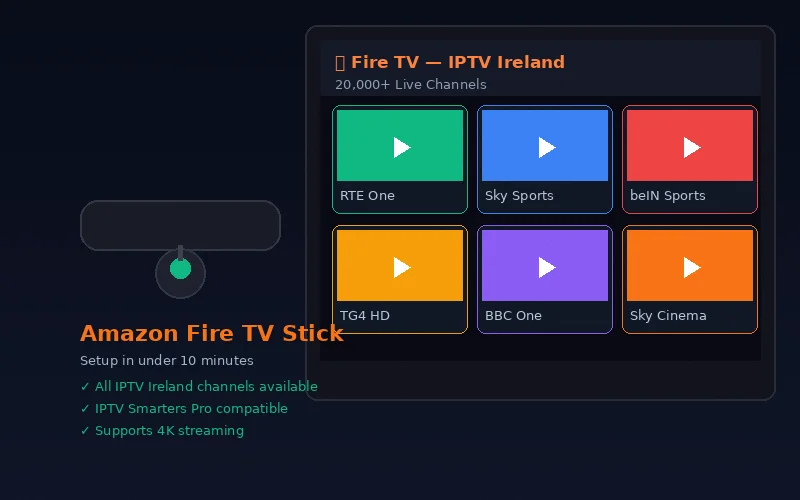
The Amazon Firestick is Ireland's favourite IPTV device — affordable, easy to use and capable of streaming 4K content. Installing IPTV Smarters Pro on a Firestick requires enabling a setting that allows apps from outside the Amazon Appstore, then using the free Downloader app to install IPTV Smarters Pro. This guide walks through every step.
What You Need Before Starting
- Amazon Firestick (any model) connected to your TV and powered on
- Active WiFi connection on the Firestick
- IPTV Ireland credentials: server URL, username and password (from your subscription or free trial)
- 5 minutes of your time
Step 1: Enable Apps from Unknown Sources
IPTV Smarters Pro is not in the official Amazon Appstore (for some regions), so you need to allow installation from outside the store.
- From the Firestick home screen, go to Settings (gear icon)
- Select My Fire TV
- Select Developer Options
- Turn on Apps from Unknown Sources
- Select Turn On when the warning appears
Step 2: Install the Downloader App
Downloader is a free app in the Amazon Appstore that lets you install apps not found in the official store.
- Press the Home button to return to the home screen
- Go to the Search bar (magnifying glass icon)
- Type "Downloader"
- Select the Downloader app by AFTVnews
- Click Download and wait for installation
- Open Downloader
Step 3: Download IPTV Smarters Pro via Downloader
- In the Downloader URL bar, type: https://iptvsmarters.com
- Press Go — the website loads on your Firestick
- Find the Android APK download link
- Select Download
- When download completes, select Install
- Wait for installation to complete (approximately 30 seconds)
- Select Open to launch IPTV Smarters Pro
Step 4: Enter Your IPTV Ireland Credentials
- On the IPTV Smarters Pro welcome screen, select Login with Xtream Codes API
- Fill in the required fields:
- Any Name: Enter "IPTV Ireland" (or any label you prefer)
- Username: Enter your IPTV Ireland username
- Password: Enter your IPTV Ireland password
- URL: Enter your IPTV Ireland server URL (e.g., http://server.example.com:port)
- Select Add User
- IPTV Smarters Pro loads all your channels, VOD content and EPG
Step 5: Navigating IPTV Smarters Pro on Firestick
Once loaded, you have access to:
- Live TV: All 20,000+ live channels organised by category (Irish, UK, Sports, Kids, Movies etc.)
- Movies: VOD movie library
- Series: TV series catalogue
- EPG: 7-day electronic programme guide
Use the Firestick remote's directional pad to navigate. Press and hold the Select button on a channel to access options including EPG info and catch-up.
Alternative: IPTV Smarters Pro in Amazon Appstore
In some regions, IPTV Smarters Pro is available directly in the Amazon Appstore — search for it first before using the Downloader method. If it appears in the Appstore, install directly without needing to enable unknown sources.
Troubleshooting Firestick IPTV Installation
"Installation not allowed" error
Ensure you completed Step 1 (enabling Apps from Unknown Sources). Some newer Firestick models may show this under a slightly different menu path — try Settings → Preferences → Privacy Settings → Apps from Unknown Sources.
Credentials not accepted
Double-check that your server URL includes the full address with port number (e.g., http://yourserver.com:8080). Contact IPTV Ireland on WhatsApp if credentials appear correct but are rejected.
Channels loading slowly
Improve your Firestick's WiFi connection by moving it closer to the router, or use a WiFi extender. Better still, use an Amazon Ethernet Adapter (approx. €15) to connect your Firestick via ethernet for the most stable IPTV experience.
For comprehensive troubleshooting, see our common IPTV problems guide. As the number one IPTV Ireland provider, our WhatsApp support team resolves installation issues in minutes.
Firestick Model Recommendations
| Model | Price | Max Resolution | Best For |
|---|---|---|---|
| Fire TV Stick Lite | €29.99 | Full HD 1080p | HD viewing, budget option |
| Fire TV Stick (3rd gen) | €39.99 | Full HD 1080p | HD viewing, voice remote |
| Fire TV Stick 4K | €49.99 | 4K Ultra HD | 4K viewing, good price |
| Fire TV Stick 4K Max | €59.99 | 4K Ultra HD | Best performance, Wi-Fi 6 |
Frequently Asked Questions
Can I install IPTV Smarters Pro directly from the Amazon Appstore?
In some regions yes — search for it first. If not found, use the Downloader method described above. Either method results in the same app with identical functionality.
Do I need to enable unknown sources every time?
No. You only enable unknown sources once. The setting remains active for all future app installations from outside the Appstore.
Which Firestick should I buy for IPTV in Ireland?
The Firestick 4K Max at €59.99 is the best choice — fastest processor, Wi-Fi 6 and full 4K HDR support. For budget-conscious viewers, the standard Firestick 4K at €49.99 delivers excellent HD and 4K performance.
Conclusion
Installing IPTV on Firestick in Ireland takes under 10 minutes and requires no technical expertise. The Downloader method gives you access to IPTV Smarters Pro, and entering your IPTV Ireland credentials takes 2 minutes. Our complete Firestick IPTV guide provides additional detail. Start with the free 6-hour trial to test everything before subscribing.
For official Amazon Firestick model specifications and current pricing, visit the Amazon Fire TV Stick product page.