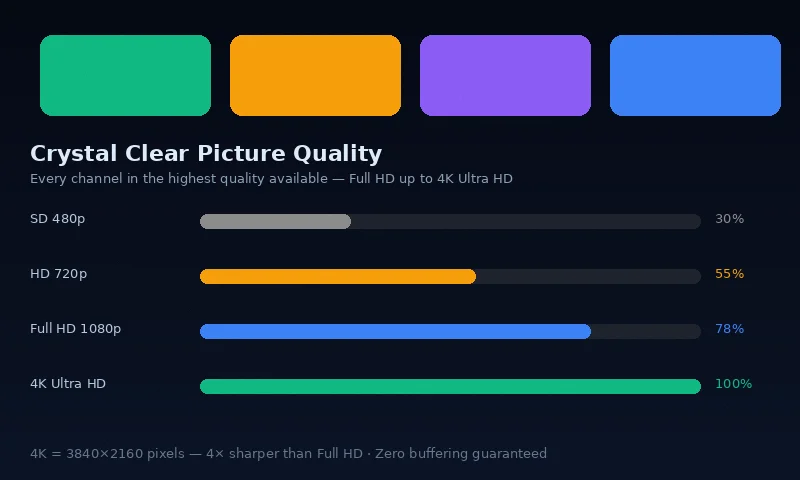
Before anything else: run a speed test on the device you are using for IPTV. Visit fast.com or speedtest.net on your streaming device. You need at least 10 Mbps for HD and 25 Mbps for 4K. If your speed is below this, the issue is your internet connection rather than your IPTV service — fix the connection first.
The Most Common Causes of IPTV Buffering
1. WiFi Interference or Weak Signal (Most Common Cause)
The majority of IPTV buffering problems in Irish homes are caused by WiFi issues rather than the IPTV service itself. Your device may show a full WiFi signal but still experience packet loss or congestion that causes buffering.
Fix: Switch to ethernet
- Connect your streaming device directly to your router with an ethernet cable
- For Firestick: use an Amazon Ethernet Adapter (€14.99 from Amazon) — this is the most effective single fix for Firestick buffering
- For Smart TV: connect via the ethernet port on the back of your TV
- For Android TV box: ethernet port is usually built in
If ethernet is not possible:
- Switch from 2.4GHz to 5GHz WiFi band (5GHz is faster and less congested)
- Move your router closer to the streaming device or use a WiFi extender (mesh network)
- Restart your router — this resolves many temporary network issues
- Reduce competing devices on your network during IPTV viewing (pause downloads, reduce active devices)
2. DNS Settings
Default DNS servers from Irish ISPs (Eir, Virgin Media) can sometimes be slower than alternatives for IPTV stream resolution. Changing to faster DNS can reduce buffering.
Fix: Change DNS to Google or Cloudflare
- On your router settings (typically 192.168.1.1 or 192.168.0.1 in your browser)
- Change Primary DNS to: 1.1.1.1 (Cloudflare) or 8.8.8.8 (Google)
- Change Secondary DNS to: 1.0.0.1 (Cloudflare) or 8.8.4.4 (Google)
- Save and restart the router
3. Peak-Time Network Congestion
Irish broadband networks experience peak congestion between 7pm and 11pm — precisely when most IPTV viewing occurs. On standard ADSL or congested cable connections, available bandwidth drops during these periods.
Fixes:
- Upgrade to fibre broadband (Eir Fibre, Virgin Media Gigabit) if on ADSL
- Contact your ISP about speeds during peak hours — you may be on an oversold exchange
- Try streaming on mobile data (4G/5G) during congested periods as a test — if mobile data streams fine but WiFi buffers, the issue is your home network or ISP connection
4. App Cache and Memory Issues
IPTV apps accumulate cached data that can cause performance degradation over time. Clearing the app cache resolves many slow-loading and buffering issues.
Fix: Clear app cache
- Firestick: Settings → Applications → Manage Installed Applications → [Your IPTV App] → Clear Cache
- Android TV: Settings → Apps → [Your IPTV App] → Clear Cache
- Samsung Smart TV: Settings → Support → Device Care → Manage Storage → [IPTV App] → Clear Cache
- iPhone: Offload and reinstall the app from the App Store
5. Stream Quality Setting Too High
If you are on a connection that struggles with 4K streams, reducing the stream quality to Full HD 1080p can eliminate buffering entirely.
Fix: Reduce stream quality in app settings
- In IPTV Smarters Pro: Settings → Player Settings → Stream Quality → HD
- In TiviMate: Settings → Playback → Video Quality → Prefer HD
6. ISP Throttling
Some Irish ISPs throttle streaming traffic during congested periods. Using a VPN can bypass throttling but adds latency — use only if you have confirmed throttling through speed tests showing significantly lower speeds on streaming content versus other traffic.
7. Server-Side Issue (Less Common)
Occasionally, buffering is caused by IPTV server load — typically during major live events (All-Ireland final, Champions League final) when demand spikes. Quality providers like IPTV Ireland Experts maintain redundant server infrastructure with automatic failover to minimise this.
Fix: Contact your IPTV provider immediately via WhatsApp. Server issues are typically resolved within minutes when reported. Switch to a different server stream within the app if your provider offers multiple streams.
Buffering Troubleshooting Checklist
- ✅ Run a speed test on your streaming device — confirm 10+ Mbps for HD
- ✅ Connect via ethernet if possible
- ✅ Switch to 5GHz WiFi if ethernet not available
- ✅ Restart your router
- ✅ Clear your IPTV app cache
- ✅ Change DNS to 1.1.1.1 / 8.8.8.8
- ✅ Reduce stream quality from 4K to HD if applicable
- ✅ Contact IPTV Ireland support if issue persists after all above steps
Device-Specific Fixes
Firestick Buffering
Enable "Developer Options" → "ADB Debugging" on Firestick, then clear memory before watching with a background app cleaner. The most effective Firestick fix is the ethernet adapter described above.
Samsung Smart TV Buffering
Samsung TVs benefit from a periodic full restart (not just standby). Unplug from mains power for 60 seconds and restart to clear memory fully. See our common IPTV problems guide for more Samsung-specific fixes.
iPhone Buffering
On iPhone, enable Low Data Mode OFF (Settings → WiFi → your network → Low Data Mode → Off) and ensure Background App Refresh is on for your IPTV app.
Frequently Asked Questions
Why does IPTV buffer on WiFi but not on ethernet?
WiFi is inherently less reliable than ethernet due to interference, signal strength variation and channel congestion. Even a "strong" WiFi signal can experience packet loss that causes buffering. Ethernet eliminates these variables entirely.
Why does IPTV buffer during football but not other times?
Live sport at peak times (Saturday afternoons, midweek evenings) coincides with maximum network congestion both on your home WiFi and your ISP's infrastructure. The combination creates buffering that does not appear during quiet viewing periods.
Does IPTV Ireland guarantee no buffering?
IPTV Ireland maintains 99.9% server uptime with automatic failover. Server-side buffering is extremely rare. The majority of buffering reported by Irish subscribers is caused by local network issues — WiFi, router performance or ISP congestion — which the steps above resolve.
Conclusion
IPTV buffering is almost always a local network issue rather than a provider problem. The ethernet connection fix resolves the majority of cases immediately. For persistent issues after following all steps above, our WhatsApp support team at IPTV Ireland diagnoses and resolves buffering problems in real time — contact us at any hour via our contact page.