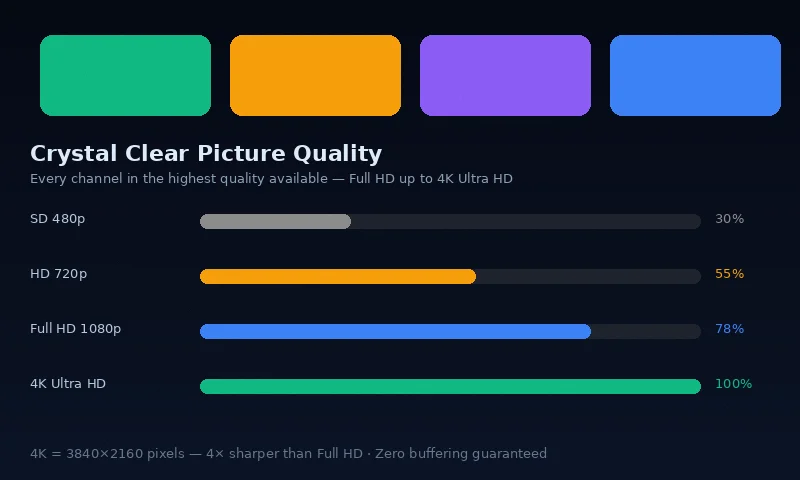
IPTV does not require extremely fast internet. The minimum speeds are well within what most Irish broadband connections deliver — including many older ADSL connections. What matters more than total speed is stability and consistency.
IPTV Speed Requirements by Quality
| Stream Quality | Minimum Speed | Recommended Speed | Notes |
|---|---|---|---|
| Standard Definition (SD 480p) | 3 Mbps | 5 Mbps | Older devices only |
| High Definition (HD 720p) | 5 Mbps | 8 Mbps | Good picture |
| Full HD (1080p) | 10 Mbps | 15 Mbps | Recommended minimum |
| 4K Ultra HD | 25 Mbps | 35 Mbps | For 4K televisions |
| Multiple streams (4 devices) | 50+ Mbps | 100 Mbps | Household use |
How to Test Your Internet Speed for IPTV
Important: Always test speed on the device you will use for IPTV — not on your phone or laptop when testing a Firestick or Smart TV. Speed at the device matters, not speed elsewhere in the house.
- On your streaming device, open a browser (or use the Speedtest app)
- Visit fast.com or speedtest.net
- Run the test and note the Download speed
- Compare against the table above
If your device does not have a browser, test from your router admin page or use the Speedtest app on a device in the same location with the same connection type.
Irish Broadband Speeds: What to Expect in 2026
According to ComReg's broadband statistics, the majority of Irish broadband connections now exceed 30 Mbps. Fibre connections from Eir and Virgin Media typically deliver 100 Mbps to 1 Gbps. Even rural ADSL connections often achieve 10–20 Mbps — sufficient for Full HD IPTV.
Typical Irish broadband performance by type:
- Eir Fibre 100: 100 Mbps — excellent for 4K IPTV
- Virgin Media 200: 200 Mbps — outstanding for multi-device household
- Sky Broadband: 10–100 Mbps depending on area and package
- ADSL (older connections): 5–20 Mbps — sufficient for HD, marginal for 4K
- SIRO Fibre: 1 Gbps — future-proof for any streaming need
Why Speed Alone Is Not Enough
A connection showing 100 Mbps on a speed test can still cause IPTV buffering if:
- WiFi interference causes packet loss even on "fast" WiFi
- ISP routing introduces latency between your home and IPTV servers
- Peak-time congestion reduces effective speed below tested maximum
- Router quality creates a bottleneck between your modem and device
This is why ethernet always outperforms WiFi for IPTV — it eliminates interference and packet loss variables entirely, delivering the full measured speed reliably to your streaming device.
What If My Speed Is Too Slow for IPTV?
If your speed is below 10 Mbps and you want HD IPTV:
- Switch to fibre: Eir Fibre, Virgin Media and SIRO cover most Irish addresses. Their full comparison for IPTV is available here
- Use ethernet instead of WiFi: Ethernet typically delivers full line speed to the device, where WiFi may deliver only 50–70%
- Reduce IPTV quality: Streaming in HD (10 Mbps) rather than 4K (25 Mbps) resolves most speed-related issues
- Stream at off-peak times: If your connection slows at peak hours, test at different times to confirm
Frequently Asked Questions
Does IPTV work on mobile data (4G/5G)?
Yes. 4G delivers 20–50 Mbps which is more than enough for HD IPTV. 5G (50–500 Mbps) handles 4K streaming comfortably. IPTV Ireland works on mobile data — useful for watching away from home. Data usage: approximately 1.5 GB/hour for HD, 7 GB/hour for 4K.
How much data does IPTV use per hour?
Approximately: SD (0.7 GB/hr), HD 720p (1.5 GB/hr), Full HD 1080p (3 GB/hr), 4K (7–15 GB/hr). For a typical household watching 4 hours of HD IPTV daily, monthly data consumption is approximately 180 GB — well within most Irish fibre broadband unlimited plans.
Is 10 Mbps enough for IPTV Ireland?
Yes. 10 Mbps is sufficient for Full HD (1080p) streaming on a single device. For 4K or multiple simultaneous streams, 25+ Mbps is recommended. Most Irish broadband connections comfortably exceed 10 Mbps.
Conclusion
Most Irish broadband connections already meet or exceed IPTV speed requirements. The minimum for comfortable Full HD IPTV is 10 Mbps — a benchmark most Irish connections clear by a significant margin. For best results, connect via ethernet. Start with our free 6-hour trial to test IPTV quality on your specific connection before subscribing. As Ireland IPTV specialists, we can advise on any speed-related concerns via WhatsApp.